Time to Fill: Formula, Benchmarks and How to Reduce It
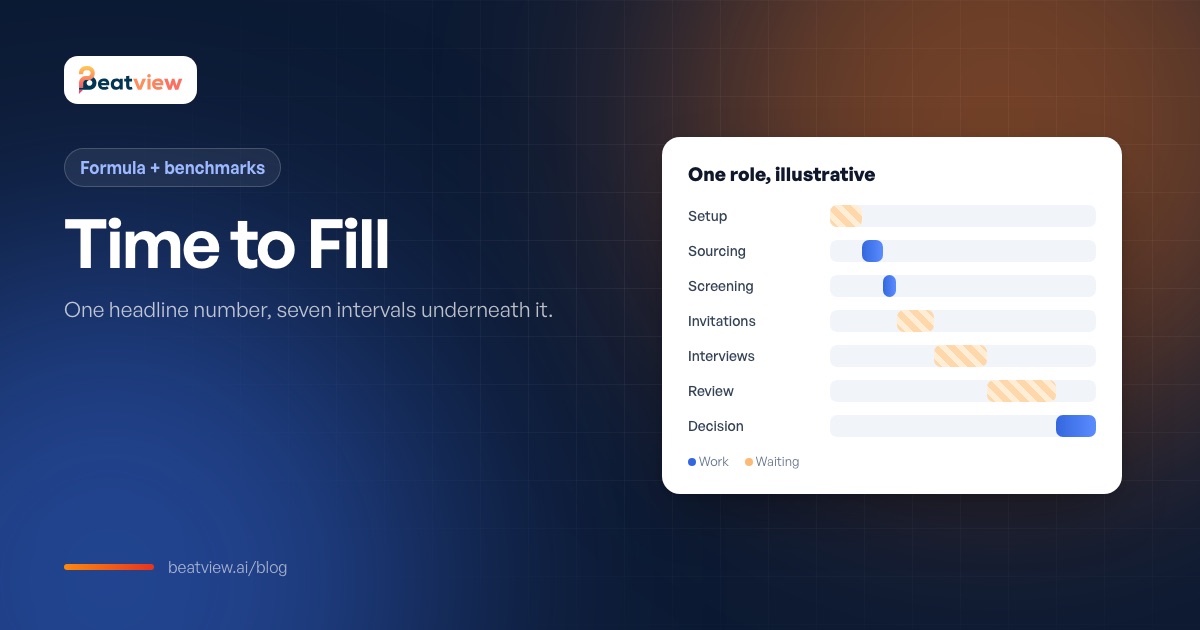
What time to fill measures, the formula with a worked example, how it differs from time to hire, the SHRM benchmark in context, and the seven intervals that show where the days actually go.
Beatview Team
Updated · 5 min read
Key takeaways
- Time to fill = date the offer is accepted − date the requisition was opened; report the median across roles.
- Time to fill measures how long the business waits; time to hire measures how fast your process moves the hired candidate.
- SHRM benchmarking puts median time-to-fill at roughly a month and a half — useful context, not a target.
- Break time to fill into seven intervals to find the bottleneck; waiting between human handoffs usually outweighs screening time.
- Agencies should track time to first shortlist, the part of time to fill they control most.
Time to fill is the number of days between opening a job requisition and a candidate accepting the offer for it. It measures how long the business waits for a hire, which makes it the headline recruiting speed metric — and a poor diagnostic on its own, because one number hides where the days went. This guide gives the time-to-fill formula with a worked example, explains how it differs from time to hire, puts the published benchmark in context, and breaks the interval into seven measurable pieces so you can see which one to fix first.
How to calculate time to fill
Time to fill = date the offer is accepted − date the requisition was opened
Count calendar days unless your organisation reports in working days — and write down which you use. For a period, report the median across roles rather than the average, because one role that stays open for months distorts the mean.
Example: a requisition opens on 2 March and the chosen candidate accepts on 14 April. Time to fill = 43 days. If five roles filled this quarter took 22, 31, 43, 47 and 118 days, the average is 52 but the median is 43 — the median describes a typical role; the 118-day outlier is worth its own investigation.
Time to fill vs time to hire
Scroll to compare →
| Time to fill | Time to hire | |
|---|---|---|
| Starts | Requisition opened (or role briefed to an agency) | The hired candidate applies or is sourced |
| Ends | Offer accepted | Offer accepted |
| Measures | How long the business waits | How fast your process moves a candidate |
| Driven by | Sourcing, approvals, market scarcity and process speed | Screening, scheduling, decisions and offer speed |
| Owner | Talent leadership and hiring managers | Recruiters and interviewers |
A long time to fill with a short time to hire usually means a sourcing problem: the right candidate arrived late but moved quickly. A long time to hire means the process itself is slow. See how to reduce time to hire for twelve process changes.
What is a good time to fill?
SHRM's recruiting benchmarking puts median time-to-fill at roughly a month and a half, with executive and non-executive roles now taking similar time. Treat that as context, not a target: time to fill varies with role seniority, location, how scarce the skills are and how many approval steps your organisation has. The only benchmark you can act on is your own median by role type — measured over the last ten roles, then compared after each change.
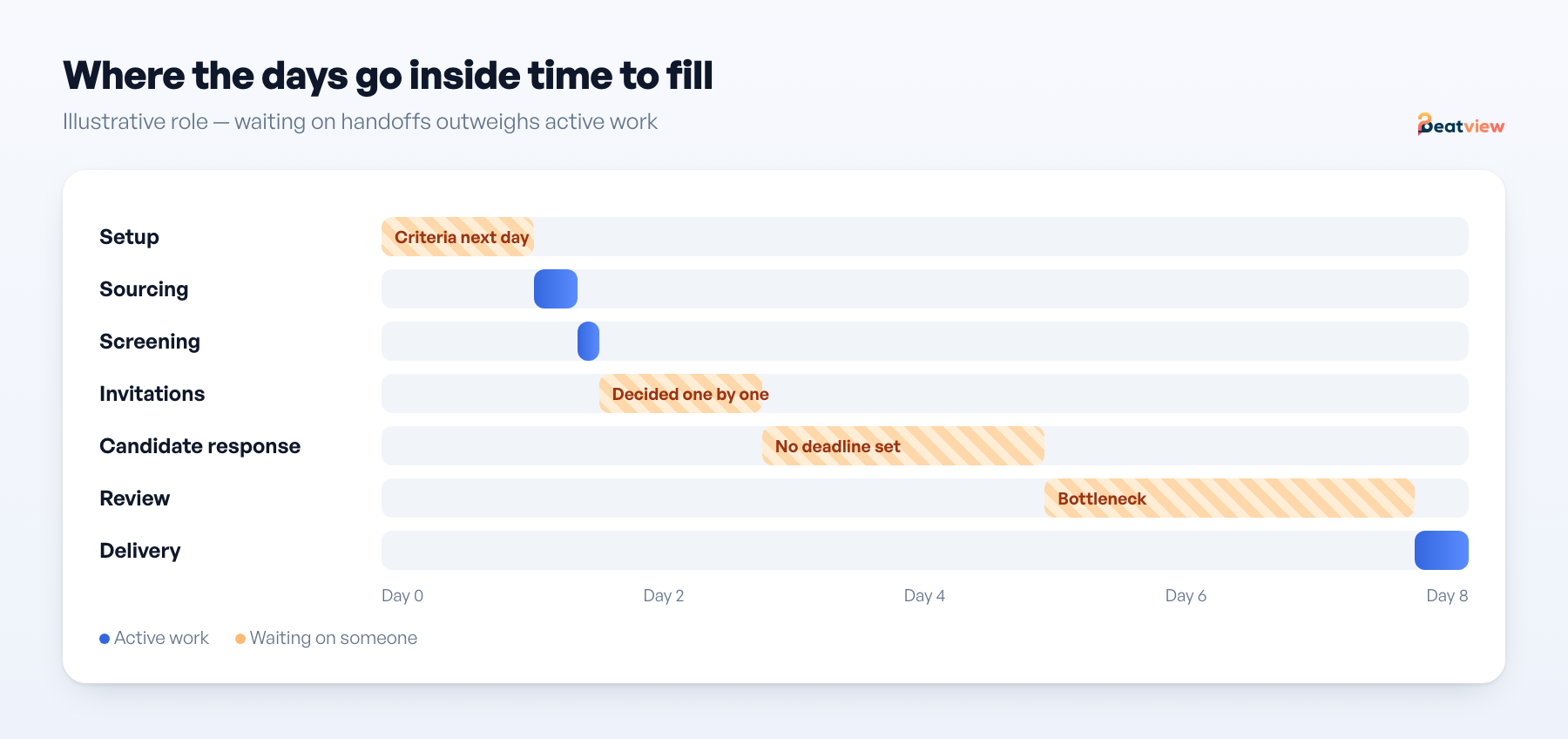
Where the days go: seven intervals inside time to fill
Scroll to compare →
| Interval | From → to | Who controls it |
|---|---|---|
| Setup lag | Role approved → role live with criteria | Recruiting team |
| Sourcing lag | Role live → first qualified application | Recruiting team and the market |
| Screening lag | Applications received → screened | Recruiting team (software can help) |
| Invitation lag | Screened → first-round interviews sent | Recruiting team |
| Candidate response lag | Invited → interviews completed | Candidates |
| Review and shortlist lag | Interviews completed → shortlist delivered | Recruiting team |
| Decision lag | Shortlist delivered → offer accepted | Hiring manager, client and candidate |
Record the timestamps for your next ten roles in the interval worksheet before setting any target. In most teams, the automated parts are not where the time goes; the invitation, review and decision intervals — all human handoffs — usually are.
Time to first shortlist: the interval you control most
For recruitment agencies, the most useful slice of time to fill is time to first shortlist: from brief accepted to a shortlist delivered to the client in the agreed format. It is almost entirely within your control, and it is what clients notice first. An illustrative diagnosis — not a customer result:
Scroll to compare →
| Interval | Elapsed | Read |
|---|---|---|
| Setup | 1 day 4 h | Criteria agreed the next morning instead of at kickoff |
| Sourcing | 6 h | Fine |
| Screening | Minutes per batch | Not the problem |
| Invitation | 1 day 6 h | Someone deciding candidate by candidate who gets invited |
| Candidate response | 2 days 2 h | No deadline was stated |
| Review | 3 days 1 h | The real bottleneck |
| Delivery | 4 h | Fine |
How to reduce time to fill
- Setup: agree criteria, deal-breakers and shortlist format at kickoff, and set the role up in one sitting. Reuse templates for repeat roles.
- Sourcing: keep a warm pool for roles you fill repeatedly; advertise the same day the role is approved.
- Invitation: write one rule per role — for example, everyone meeting the must-haves is invited — instead of deciding one by one.
- Candidate response: state a deadline, send one reminder and set a cut-off. A recorded first round removes calendar scheduling entirely; see asynchronous video interviews.
- Review: work down a ranked list with a written stop rule, reading evidence only for candidates you might submit.
- Decision: agree the client's feedback window and book the decision meeting before the final interview.
Change one thing at a time, aimed at the largest interval you control, and re-measure after the next five roles. Definitions for all the related metrics are in recruitment metrics.
Where Beatview fits
Beatview shortens the screening and invitation intervals: applications are scored against the role as they arrive, and a stage rule can send the structured video interview invitation once a score clears your threshold, so candidates can complete the first round on their own schedule. Review, delivery and client decisions stay human, and Beatview does not include a time-to-fill dashboard — the candidate event log gives you the timestamps to fill the worksheet. See recruitment automation.
Frequently asked questions
How do you calculate time to fill?
Subtract the date the requisition was opened from the date the offer was accepted. Report the median across roles for a period, and state whether you count calendar or working days.
What is the difference between time to fill and time to hire?
Time to fill starts when the requisition opens; time to hire starts when the hired candidate applies or is sourced. Both end when the offer is accepted. Time to fill includes sourcing and approval delays that time to hire does not.
What is the average time to fill?
SHRM benchmarking puts the median at roughly a month and a half, but it varies widely by role, seniority, location and skill scarcity. Your own median by role type is the useful comparison.
How can I reduce time to fill?
Measure the intervals first, then fix the largest one you control: agree criteria at kickoff, invite candidates by rule, remove scheduling from the first round, review with a stop rule and agree client feedback windows.
What is time to first shortlist?
The interval from a role being briefed to the first shortlist being delivered to the hiring manager or client. It is a subset of time to fill that recruiters and agencies largely control.
Sources
Free resource · Version 14 September 2026
Download the time-to-first-shortlist worksheet
The exact start and end events, nine timestamps per role, the seven intervals to calculate with the usual fix for each, how this differs from time to hire, and a review log.
Download CSV worksheetMove an application from screening to interview
Use your configured workflow and review the completed result.
Start with one active job for free, or explore how Pro adds AI video interviews.
- Application screening
- AI video interviews
- Candidate event log
Related Articles
How to Reduce Time to Hire: 12 Changes That Remove Waiting Time
The time-to-hire formula, where the days usually go, and twelve specific changes — each with an owner, the bottleneck it removes and the metric that proves it worked.
Recruitment Metrics: 16 KPIs to Track (With Formulas and a Free Tracker)
16 recruitment metrics and KPIs with formulas — speed, funnel, quality and cost — plus agency KPIs, a screening-metrics dictionary, a reporting guide and a free tracker to build your baseline.
Asynchronous Video Interviews: How Async Interviews Cut Scheduling Delays
What an asynchronous video interview is, how it compares with live interviews, which scheduling delays it removes (and which it does not), when it fits and how to handle unfinished interviews.