Best Resume Screening Software: 7 Tools Compared and How to Choose
Seven resume screening tools compared on screening approach, pricing model and best fit, the four jobs screening software does, an eight-point buying checklist and advice for startups.
Beatview Team
Updated · 6 min read
Key takeaways
- Resume screening software parses resumes, matches them to the role, applies screening rules and hands shortlisted candidates to the next stage — check each job separately.
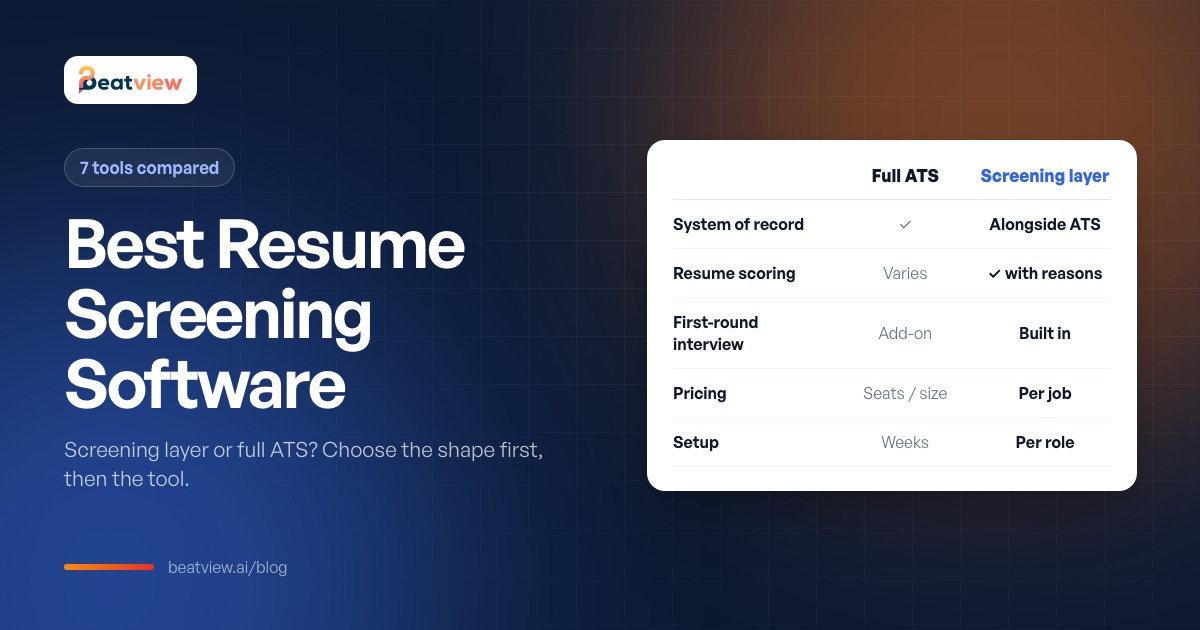
- The first decision is whether you need a screening layer in front of your ATS or a full ATS that includes screening.
- Pricing models differ (company size, per user, per job, credits), so compare using your own seat and role counts.
- In a trial, insist on seeing the reasons behind scores and where unreadable resumes go.
- Below roughly 30–50 applications per role, written criteria and a scorecard usually beat buying software.
Resume screening software reads job applications, compares each resume (or CV) with the requirements of a role and ranks or scores candidates so recruiters review the best-evidenced applicants first. The best resume screening software for you depends on one question more than any feature: do you need a screening layer in front of an existing applicant tracking system (ATS), or a full ATS that includes screening? Below we compare seven tools that recruitment agencies and small hiring teams commonly shortlist, explain the four jobs screening software does, give a buying checklist, and cover when a startup does not need software at all. We make one of these tools — Beatview — and we say so wherever it appears.
What resume screening software does: four separate jobs
- Parsing — turning a PDF or DOCX into fields such as employers, dates and skills. It fails on scanned images and unusual layouts; what matters is whether failures are visible to you.
- Matching — comparing the parsed resume with the role and producing a score or ranking. Usable only if you can open a candidate and see why they scored what they scored.
- Screening rules — actions that run without a person: ranking a batch, flagging knockout answers, inviting candidates above a threshold to the next stage.
- Handoff — what happens to shortlisted candidates next. If the interview stage lives in another tool, someone re-enters candidates by hand.
Most buying mistakes come from assuming a tool does all four well because it does one. For a deeper explanation of the mechanics, see how AI resume screening works.
Best resume screening software compared (2026)
Method: prices and features were read from each vendor's own public pricing page in September 2026. Plans change often — confirm on the vendor's page before you buy, and note that per-user, per-job and company-size pricing are not directly comparable without your own numbers.
Scroll to compare →
| Tool | Type | Screening approach | Pricing model (Sept 2026) | Best for |
|---|---|---|---|---|
| Beatview (our product) | Screening layer + structured AI video interviews | Resume match score with reasons; stage rules invite candidates to a scored interview | Free plan (1 active job); Pro $219/month or $179/month billed annually, up to 3 active jobs; Enterprise quoted | Recruitment agencies and teams with high-volume roles who want screening and first-round interviews in one place |
| Workable | Full ATS | AI Recruiting Agent that sources and screens, billed in credits | By company size; Standard $299/month, Premier $599/month; AI credits sold separately | In-house teams that want one ATS for the whole pipeline |
| Manatal | ATS / recruitment CRM | AI recommendations and AI candidate scoring on all plans | Per user: $15, $35 or $55/user/month billed annually | Small agencies and teams on a per-seat budget |
| Recruit CRM | Agency ATS + CRM | AI resume parser; AI candidate matching with plan limits | Per-user tiers (Pro, Business, Enterprise) | Recruitment agencies that need client CRM and ATS together |
| Breezy HR | ATS | Questionnaires for auto-qualification; "Breezy Intelligence" AI add-on | Free Bootstrap plan (1 position); paid tiers from $157/month billed annually | Small businesses hiring a few roles at a time |
| Ashby | ATS with analytics | Application review and AI-assisted features within a full ATS | Published calculator based on company size | Scaling in-house talent teams that want reporting depth |
| SmartRecruiters | Enterprise talent acquisition suite | Screening within an enterprise hiring platform | Quoted per customer | Large enterprises with procurement and integration requirements |
An ATS and a screening layer are rarely competitors in an agency. Most keep a system of record and add screening in front of it. Decide which tool owns the candidate list before you buy — two owners means double entry.
Buying checklist: 8 questions to test in a trial
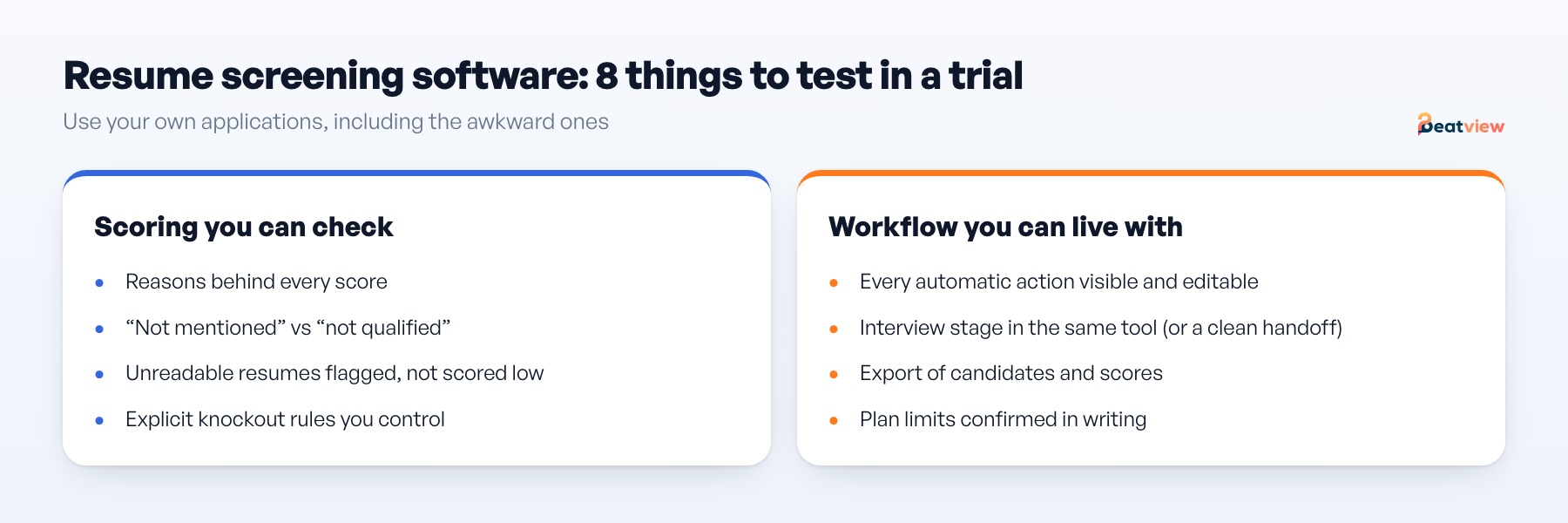
- Can you see why a candidate scored what they did? Open one candidate and look for the requirements met and not met.
- Does it distinguish "not mentioned" from "not qualified"? Only one of these is a reason to reject.
- Where do unreadable resumes go? Upload your two worst-formatted files and find them.
- Are knockout rules explicit? Right to work or a licence should be a rule you set, not something hidden in a score.
- Can you see and edit every automatic action? Automation should be off until you switch it on, and auto-rejection should not be the default.
- What happens after the shortlist? Does the interview stage live in the same tool?
- Can you export candidates and scores? In a usable file, on your plan.
- Do plan limits fit your volume? Active jobs, seats and credits, confirmed in writing.
The detailed demo test — three real applications including an awkward one — is in our AI resume screening tools checklist.
How to judge score quality yourself
- Take one closed role where you know who performed well.
- Load the same application batch into each shortlisted tool.
- Compare each tool's top ten with your own ranking and read the reasons for the three biggest disagreements.
- Check where unreadable files and duplicates appear.
- Write a two-sentence rejection justification for one mid-ranked candidate using only what the tool shows.
Steps four and five eliminate more tools than step three.
Resume screening software for startups and small teams
If you are hiring a handful of roles, the honest first question is whether you need software at all. Below roughly 30–50 applications per role, a shared inbox, written criteria and a scorecard beat any tool. Software starts paying for itself when one role brings more applications than one person can read carefully — and when that role repeats. Establish four things before you look at vendors:
Scroll to compare →
| Criterion | What to establish | Why it decides |
|---|---|---|
| Volume per role | Applications on your last three roles | Low volume: manual review is cheaper and better |
| Repeat hiring | Will this role run again this year? | Setup cost only pays back on repeat roles |
| Who reviews | Founder, hiring manager or recruiter | Founder-reviewed hiring needs fewer features and faster setup |
| Cost shape | Flat, per seat, per job or per credit | Seat pricing penalises small teams who all want access |
Then shortlist two tools, load the same 50 real applications into both, and time yourself reviewing ten candidates in each. That number, not the feature list, is your result.
What Beatview does and does not do
Beatview screens applications against the role and shows the skills and experience behind each resume score, supports stage rules such as sending a structured interview invitation once a score clears your threshold, and runs the first-round video interview in the same place — scored on relevance, clarity, depth of knowledge and overall. The overall match score is the plain average of the resume and interview scores; there is no configurable weighting, automated adverse-impact reporting or custom model calibration. Zapier, API and webhooks are Enterprise features. Beatview works alongside your ATS rather than replacing it. See resume screening and pricing, or compare it with other tools on our alternatives page.
Frequently asked questions
What is the best resume screening software?
It depends on your setup. Agencies wanting screening plus first-round interviews in one place often choose a screening layer such as Beatview; teams wanting one system for the whole pipeline choose an ATS such as Workable, Manatal, Recruit CRM, Breezy HR, Ashby or SmartRecruiters.
How much does resume screening software cost?
Pricing models vary: per user (for example Manatal from $15 per user per month billed annually), by company size (Workable from $299 per month), by active job (Beatview Pro $219 per month or $179 billed annually for up to three jobs) or by quote for enterprises. Check each vendor’s current page.
Is resume screening software the same as an ATS?
No. An applicant tracking system is the system of record for candidates and hiring stages. Screening software focuses on reading and ranking applications; many ATS products include some screening, and many teams add a screening layer in front of their ATS.
Do small businesses need resume screening software?
Often not. If roles bring fewer than roughly 30–50 applications, written criteria, a shared inbox and a scorecard are usually enough. Software pays off when volume or repeat hiring makes consistent manual review impractical.
Can resume screening software reject candidates automatically?
Many tools can, but automatic rejection on score alone is risky legally and reputationally. Automate ranking and invitations, and keep rejection as a human decision with a stated reason.
Move an application from screening to interview
Use your configured workflow and review the completed result.
Start with one active job for free, or explore how Pro adds AI video interviews.
- Application screening
- AI video interviews
- Candidate event log
Related Articles
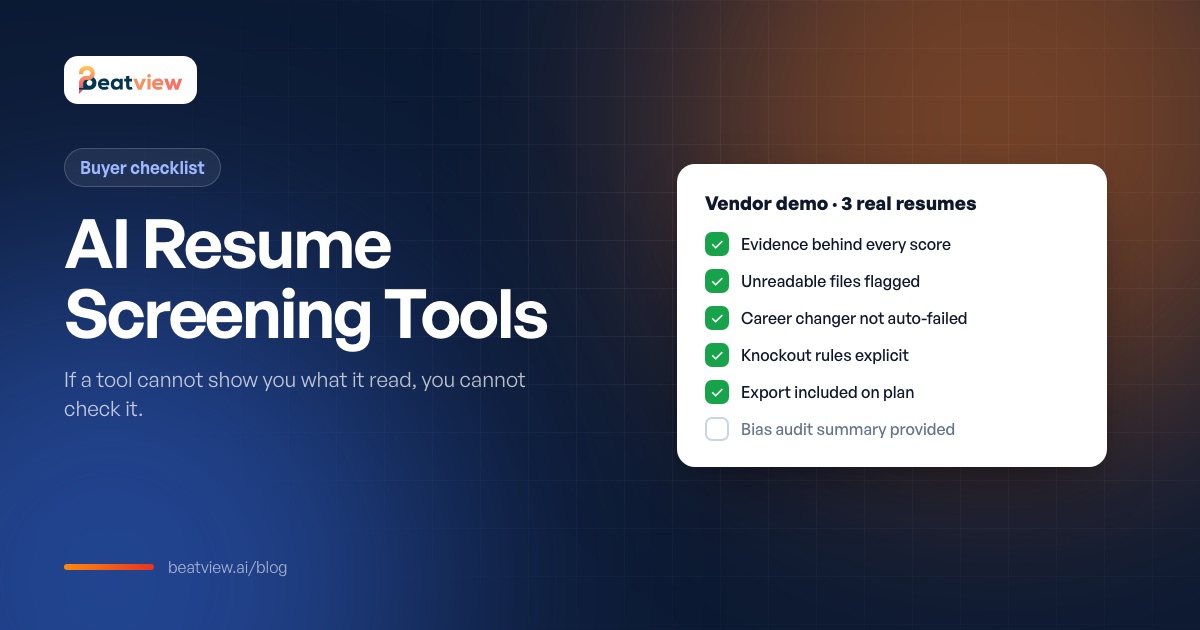
AI Resume Screening Tools: A 10-Point Checklist Before You Buy
How to evaluate AI resume screening tools: ten things to check, a three-candidate demo test, vendor claims to treat with caution and the compliance questions every vendor should answer.
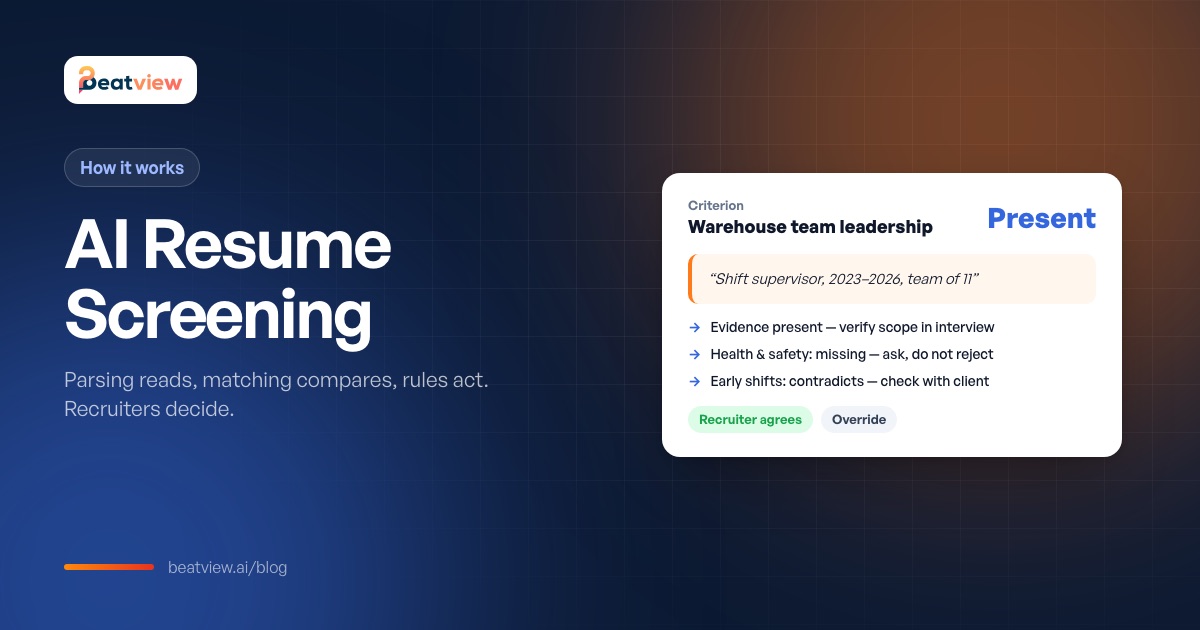
AI Resume Screening: How It Works, Bias Risks and AI vs Manual Review
How AI resume screening works — parsing, matching and stage rules — what good output looks like, how it compares with manual screening, where bias comes from and what recruiters still need to check.
How to Screen Resumes Quickly Without Missing Good Candidates (5 Steps)
A five-step resume screening process for recruiters: criteria a resume can evidence, a batch intake check, review against criteria, a written rule for clear passes and a manual check of exceptions.